
Google Calendar
Bring Google events into MANA and send MANA-created events to your first selected calendar.
 MANA
MANAConnect your calendar
- 1
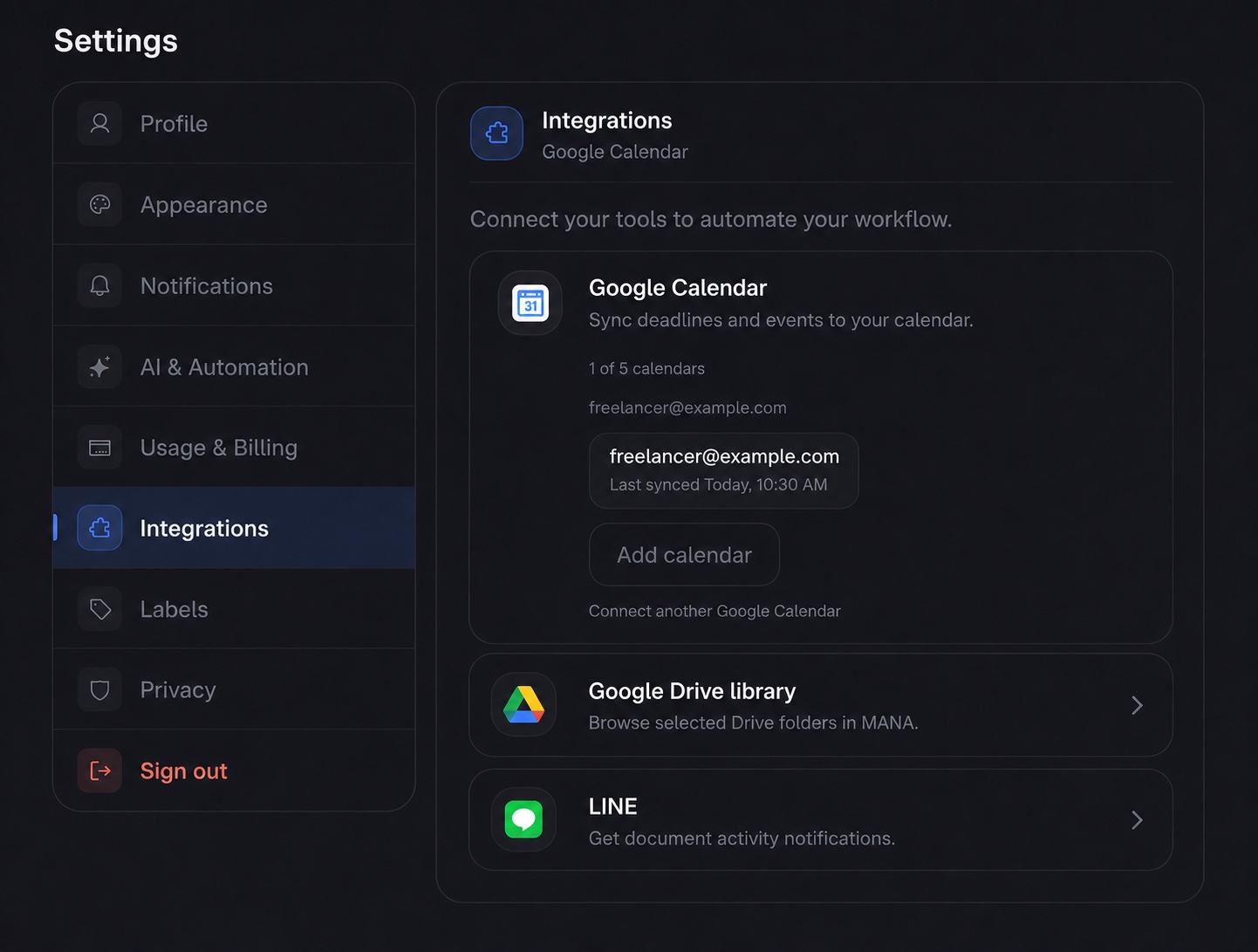
Open Integrations
In MANA, go to Settings → Integrations and find Google Calendar.
- 2
Approve Google access
Press Connect, choose a Google account, then approve event read/write access and read-only access to your calendar list.
- 3
Select a calendar
Back in MANA, choose the calendar to sync. The first calendar you select becomes the destination for new MANA events.
- 4
Check the first import
Open Calendar in MANA. Existing Google events should appear after the initial sync completes.
Understand the sync
Google to MANA
Google event changes are pulled about every 30 minutes. Selecting a calendar also starts an immediate import.
MANA to Google
Events created in MANA push to the first selected calendar. Later MANA edits to those native events push too.
Imported event edits
Edit Google-origin events in Google Calendar. A later Google sync can replace a local edit made to an imported event.
Project and document dates
Milestones, due dates, expiry dates, and recurring document dates remain read-only overlays in MANA.
Plan limits
| Plan | Synced calendars |
|---|---|
| Free | 1 |
| Mana | 5 |
| Aether | 10 |
You can connect more than one Google account. The calendar limit applies to the total selected calendars across all accounts.
Troubleshooting
The Google account is already linked
That Google account belongs to a different MANA account. Sign in to the other account and disconnect it first, or contact support.
The calendar list will not load
The Google token may have expired. Disconnect the affected account, reconnect it, then select the calendar again.
A Google change is missing
Scheduled imports run about every 30 minutes. Wait for the next sync, then check the last synced time in Settings.
I selected the wrong outbound calendar
MANA currently sends new native events to the first selected calendar. Remove the selected calendars, then add the intended outbound calendar first.
Disconnect safely
Removing one calendar deletes its imported copies from MANA. Disconnect all removes all imported Google events and Calendar access, but it does not remove Google as a sign-in method.